Quick Answer: A baseline IPTV subscription allows one active stream at any given moment, although you can configure the playlist across unlimited devices. To stream simultaneously on two, three, or more screens without kicking off another viewer or triggering account errors, you need a multi-device subscription plan.
A frequent point of confusion for new cord-cutters is the difference between how many devices can have an IPTV app installed versus how many screens can stream live television at the exact same second. In a busy household where family members want to watch sports in the living room while others stream movies in the bedroom, understanding connection limits ensures everyone enjoys seamless entertainment without unexpected channel cutoffs.
Table of Contents
- Installed Devices vs Simultaneous Connections
- What Happens If You Exceed Your Stream Limit?
- Choosing the Right Multi-Connection Package
- Single IP Locking vs Multi-Location Roaming
- Using Multi-Screen Split View in Advanced Players
- Household Bandwidth Calculations
- Responsible Streaming Policy
- Frequently Asked Questions
Installed Devices vs Simultaneous Connections
To avoid confusion, remember this fundamental distinction:
- Device Installations (Unlimited): You can set up your Orvixa IPTV credentials on your living room Samsung TV, master bedroom Firestick, office PC, iPad, and iPhone. Having your login saved across five devices is completely allowed.
- Simultaneous Active Streams (Plan Limited): The server measures how many active media requests exist concurrently. If your plan is a 1-Connection subscription, only one device can play video at any single second. If someone launches a channel on a second screen, the server flags an over-connection.

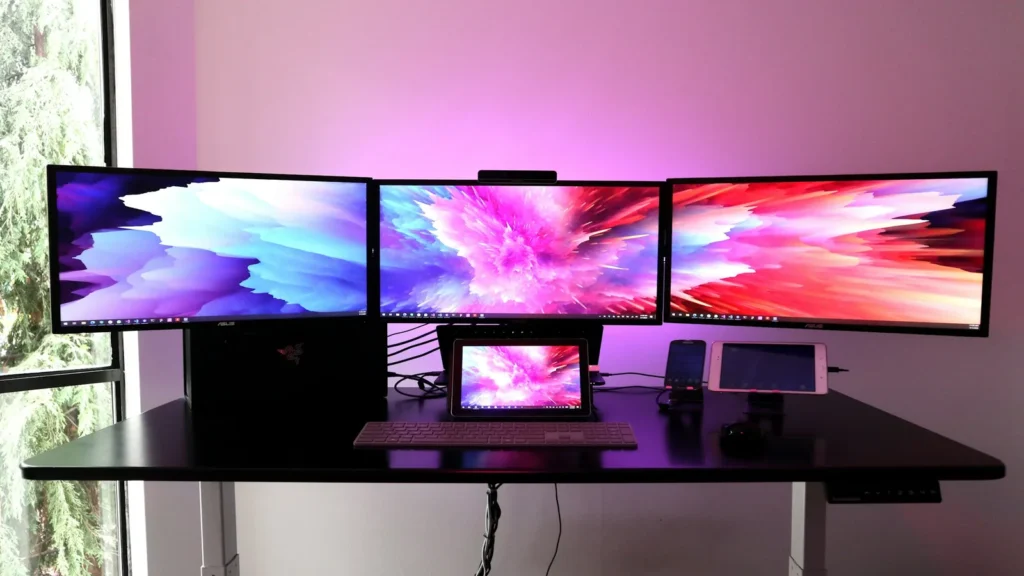
Multi-connection accounts allow multiple household screens to stream independent live channels simultaneously.
What Happens If You Exceed Your Stream Limit?
When a household accidentally exceeds its active connection ceiling, the server responds in one of three ways depending on system rules:
- First Screen Cutoff: The existing active stream drops immediately with a black screen or “Playback Error” notice.
- New Screen Rejection: The second device receives an
HTTP 401 UnauthorizedorHTTP 403 Forbiddenresponse. Consult our guide on common IPTV error messages and fixes. - Temporary Security Lock: Repeated rapid connection violations can trigger an automated 15-minute security lock on the account.
Choosing the Right Multi-Connection Package
Evaluate your household’s peak viewing habits:
- 1-Connection Tier: Ideal for solo viewers or couples who consistently watch television together in the same room.
- 2-Connection Tier: Perfect for small households with a main living room television and a secondary bedroom screen.
- 3-to-5 Connection Tier: Essential for large families where multiple sports, children’s cartoons, and news channels run concurrently. Explore our available IPTV subscription pricing to select the right tier.
Single IP Locking vs Multi-Location Roaming
Some restrictive providers enforce IP-Locking, requiring all simultaneous connections to originate from the exact same residential Wi-Fi router. Premium providers like Orvixa offer flexible routing policies, allowing you to stream on your home television while a family member watches on mobile data during their commute.
Using Multi-Screen Split View in Advanced Players
Did you know that watching two channels simultaneously on a single TV in Multi-View mode counts as two active connections? Applications like TiviMate and IPTV Smarters Pro allow splitting your screen into a 4-way grid to watch multiple sports games at once. Each quadrant pulls an independent live feed from the server, requiring a multi-connection subscription.
Household Bandwidth Calculations
Every additional stream consumes network throughput. If two screens stream 1080p sports at 60fps while a third watches a 4K movie, ensure your internet connection provides at least 75 Mbps to 100 Mbps of dedicated speed. Review our full bandwidth benchmarks in recommended internet speed for IPTV and verify data caps in how much data IPTV uses.
Responsible Streaming Policy
Orvixa IPTV supplies high-capacity digital delivery infrastructure. Subscribers are responsible for confirming that all multimedia content viewed through their hardware complies with regional copyright regulations and appropriate licensing frameworks.
Frequently Asked Questions
Can I upgrade my subscription from 1 connection to multiple devices later?
Yes. You can upgrade your subscription at any point by logging into your client portal or contacting customer support to add concurrent stream licenses to your existing account credentials.
Does watching Video-on-Demand (VOD) count toward my connection limit?
Yes. The server treats on-demand movies, TV series episodes, and live television channels identically when calculating active concurrent connections.
Seamless Whole-Home Entertainment
Stream independently on multiple screens across your home with Orvixa’s multi-device subscription plans.
Test Orvixa IPTV With a Free 24-Hour Trial
Experience 28,000+ live US & international channels, 4K/Full HD sports, and VOD on your Smart TV, Firestick, or mobile device before you commit.